

Find and Select Unwanted Words Automatically
Detect sale headlines, captions, labels, and date stamps without tracing every letter yourself.
Text removal tools
Let OCR find the words, then use a brush, box selection, or eraser to control exactly what gets removed.
Detect sale headlines, captions, labels, and date stamps without tracing every letter yourself.

Paint over small characters or leftover marks when you need more precise control.

Draw around a headline, placeholder, or group of words to clean a larger area in one pass.

Refine the selected area before removal so products, people, and important details stay untouched.

Fill selected words with surrounding color, texture, and scenery for a more reusable image.

Inspect the result, target remaining artifacts, and save a watermarked image or upgrade for no watermark.
Use cases
Reuse product creatives, social images, travel photos, and property shots without outdated words covering the scene.

Ecommerce sellers can clear expired discounts, sale headlines, and offer labels while keeping the product ready for the next campaign.

Social media managers can remove event captions, posting times, and outdated words before preparing an image for a new post.

Travelers and photographers can clean camera date stamps or location text while preserving the landscape around them.

Real estate marketers can remove open house details, sale boards, and property labels from images they own or are authorized to edit.
Remove discount percentages, seasonal headlines, and promo labels from your own ecommerce images. Automatic OCR gives you a fast start, and manual selection helps you keep the bottle, packaging, and product details out of the selection.
Remove Text from Photo NowAutomatic text detection handles clear words first. Use the brush to paint missed characters, box selection for a whole text block, or the eraser to shrink the selected area before running the removal.
Remove Text from Photo Now
AI fills the selected text area using nearby detail, whether that is water, sky, a wall, or a simple studio background. Busy textures and text over important subjects may need another targeted pass, so always inspect the preview.
Remove Text from Photo NowClear printed dates and added captions from scanned family photos without replacing the whole image. Fine film grain, faded areas, and text crossing people or detailed objects can require extra touch-up rather than a perfect one-click result.
Remove Text from Photo Now
How to use
Upload your image, let OCR find the text, refine the selection if needed, and review the cleaned result.
Step 1 of 3
Choose a JPG, PNG, or WEBP image up to 10MB. Sign in when prompted so the tool can detect text and save your cleaned result.
Step 2 of 3
Let automatic OCR find visible words. Add missed areas with the brush or box selection, adjust with the eraser, then start the removal for 3 credits.
Step 3 of 3
Compare the cleaned image and refine any problem areas. Download a watermarked version or upgrade to an eligible paid plan for a download without a watermark.
Why choose it
Go from an overlaid image to a reusable photo with clear controls, a preview-first workflow, and honest expectations for difficult backgrounds.
Use automatic detection for a quick start, then brush, box, or erase the selection when the text needs a more careful edit.
Handle promo words, social captions, travel dates, real estate signs, template placeholders, and old photo date stamps in one place.
Check the result before exporting. Free-account downloads include a watermark; eligible paid users can download the cleaned image without one.
Each text removal run costs 3 credits. Review your selection before starting so you only process the areas you intend to change.
Sign in and upload JPG, PNG, or WEBP files up to 10MB without installing a separate desktop photo editor.
Edit images you own or have permission to modify. Do not use the tool to remove ownership or rights information from someone else's content.
More tools
Move between the image jobs people usually pair together: editing, backgrounds, resizing, enhancement, and text overlays.

Remove unwanted objects, people, text, blemishes, and clutter from photos.

Retouch portraits, restore old photos, and polish details while keeping natural texture.

Add captions, labels, watermarks, and thumbnail text to photos.
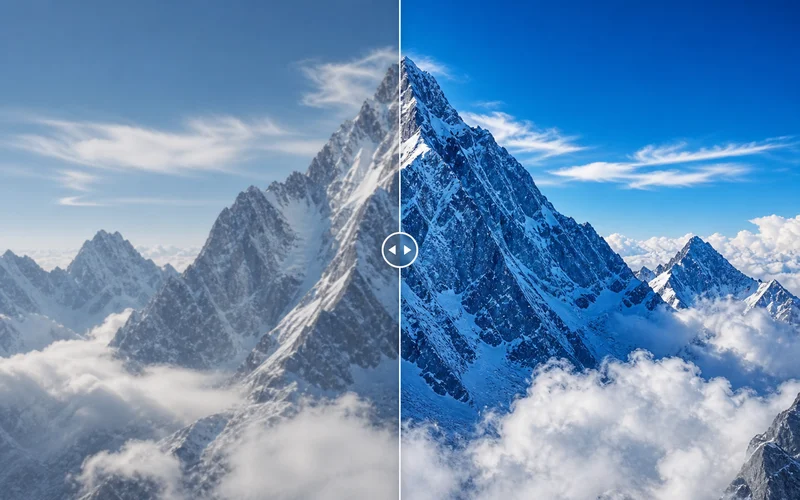
Sharpen, clean noise, fix light, and improve photo quality online.
Choose credits for every AI image workflow
One-time credits never expire · No subscription required
For trying a few photo edits
For small creative batches
For short product or campaign projects
For larger client workloads


FAQ
Answers about background preservation, credits, image limits, mobile editing, results, and responsible use.
The background stays in place because only the text areas you select are edited. Upload your photo, let OCR find the words, then adjust the boxes with the brush or eraser. The cleanup model rebuilds those selected areas using surrounding detail instead of replacing the whole image.
Each removal run costs 3 credits, and the cost appears before you start. An account is required to detect and remove text. You can compare the cleaned result before exporting; free-account previews and downloads include a watermark, while eligible paid accounts can download without one.
Upload your image and let OCR detect visible words, then review the selected boxes. Use the brush or box tool for missed text and the eraser to remove extra selection areas. When the selection is ready, start the cleanup, compare the result, and refine any remaining marks before downloading.
Automatic OCR is designed for words and may not detect every emoji. Paint over the emoji or draw a box around both the emoji and nearby text, then run the removal. The model rebuilds only the selected area; detailed backgrounds may need a second, tighter pass after you inspect the preview.
Simple backgrounds often clean up smoothly, but no tool can guarantee an artifact-free result every time. Detailed textures, shadows, gradients, or words crossing people and products may need another pass. Use a tighter selection and inspect the before-and-after preview before downloading.
Open the tool in your iPhone or Android browser; no separate app installation is needed. Sign in, upload a JPG, PNG, or WEBP image, review the automatic text selection, and start the removal. The same manual brush and box controls are available on mobile.
Remove watermarks or rights information only from images you own or have explicit permission to modify. Do not use the tool to strip ownership marks from someone else's work or misrepresent image licensing. For your own images, select the unwanted mark and review the reconstructed area carefully.
Photo Retouch Ease
Use automatic OCR and precise manual selection to clean dates, captions, signs, and promotional text from images you have the right to edit.
Remove Text from Photo NowPreview before export · Watermarked downloads available · 3 credits per removal